As a modern gamer, balancing work, family, and personal life often means limited time for your passion. The dream of lag-free remote gaming or seamless co-op with friends across distances seems like a luxury. But is Parsec good for gaming in 2026, delivering on this promise without compromise? This comprehensive guide dives deep into Parsec's performance, setup ease, and overall value for today's busy US gamers. We'll explore how this remote desktop software can transform your gaming experience, whether you're streaming from your powerful home rig to a laptop on the go, or inviting friends to local multiplayer games online. Discover if Parsec offers the low-latency, high-fidelity solution you need to maximize your precious gaming moments, overcome common technical hurdles, and stay connected with your gaming community, all without breaking the bank or requiring extensive hardware upgrades. Get ready to optimize your play and reclaim your gaming time.
Q: How much internet speed do I need for Parsec to be good for gaming?
A: For a truly smooth and low-latency gaming experience with Parsec, especially if you're aiming for 1080p at 60 frames per second, a minimum upload speed of 10-15 Mbps on your host PC's internet connection is highly recommended. For the client device, a stable download speed of at least 20-30 Mbps is ideal. Fiber optic internet or a very stable cable connection often provides the best results, minimizing lag and dropped frames, crucial for competitive gaming.
Q: Can I really play local co-op games with friends online using Parsec?
A: Yes, absolutely! One of Parsec's standout features is its ability to enable online co-op for games that are traditionally local multiplayer only. You simply host the game on your PC, and then invite friends to connect to your session via Parsec. Their inputs (from their keyboards, mice, or gamepads) are sent to your host PC, making it feel like they're sitting right next to you, playing on the same screen. This is a game-changer for enjoying classics or new titles with friends who live far away, fulfilling the social gaming trend of 2026.
Q: Is Parsec safe to use for my computer and personal data?
A: Parsec employs robust security measures to protect your connection. All traffic between your host and client devices is encrypted end-to-end using industry-standard TLS. Additionally, you have full control over who can connect to your machine, requiring explicit permission for each connection. As with any remote access software, it's crucial to only share access with trusted individuals and keep your host PC's operating system and Parsec software updated to ensure the latest security patches are applied, protecting your digital life.
Q: What kind of latency can I expect when using Parsec for gaming?
A: Parsec is renowned for its low latency, often achieving input lag comparable to playing on a local console or even less than some wireless peripherals, provided you have a good internet connection. Many users report total input lag (from controller input to screen response) in the range of 10-30 milliseconds on a well-optimized connection. Factors like your internet speed, network congestion, distance to the host, and hardware encoding capabilities all influence actual latency, but Parsec strives to keep this as minimal as possible for a responsive gaming feel crucial for today's competitive and casual gamers alike.
Q: Does Parsec use a lot of bandwidth when I'm gaming?
A: Yes, streaming high-quality video and audio in real-time for gaming can be bandwidth-intensive. Parsec dynamically adjusts its bandwidth usage based on your connection, but for optimal 1080p 60fps streaming, it can consume anywhere from 10 Mbps to 50 Mbps or more, depending on the chosen quality settings. It's important to monitor your data cap if you have one, especially if you're streaming over mobile data. Parsec does offer settings to adjust bandwidth usage to fit your network limitations, allowing you to prioritize either quality or data consumption without completely compromising the experience.
Q: Can Parsec replace having a gaming PC if I just use a weaker laptop?
A: In essence, yes, Parsec allows a weaker laptop or even a mobile device to act as a 'thin client' to your powerful gaming PC. Your weak laptop doesn't need to process the game; it only needs to decode the video stream and send your inputs. This means you can play graphically demanding AAA titles on a device that otherwise couldn't handle them. However, it doesn't *replace* the need for a powerful gaming PC; it merely allows you to access and utilize that PC's power from a different location and device. The heavy lifting is still done by your main gaming rig.
Q: What are the best settings to optimize Parsec for competitive gaming?
A: For competitive gaming, minimizing latency is paramount. Start by ensuring both host and client PCs are connected via Ethernet, not Wi-Fi. In Parsec settings, prioritize 'Low Latency' or 'Performance' over 'Quality.' Enable H.265 (HEVC) encoding if your hardware supports it for better efficiency. Set the host's display resolution to match your target streaming resolution (e.g., 1080p). Disable any unnecessary background applications on both host and client. Finally, experiment with the 'Bandwidth' setting; higher can reduce artifacting, but too high for your connection can introduce stutter. Aim for a sweet spot that maintains visual clarity without introducing lag, often between 20-30 Mbps for 1080p.
Life in 2026 for the average US gamer is a balancing act. With responsibilities pulling us in every direction, those precious hours dedicated to gaming are more valuable than ever. We want relaxation, fun, and connection, whether it's building skills in a competitive title, exploring new worlds, or unwinding with friends. But what happens when your powerful gaming rig is upstairs, and you want to play from the comfort of your living room downstairs? Or when your best gaming buddy lives states away, and you miss those classic couch co-op sessions? This is where solutions like Parsec enter the chat, promising to bridge the distance and deliver your high-fidelity gaming experience wherever you are. But the big question on everyone's mind is: is Parsec good for gaming in today's demanding landscape? Can it truly deliver that lag-free, visually stunning experience without the headaches that often plague remote gaming? With 87% of US gamers regularly dedicating 10+ hours a week to their passion, and social gaming trends skyrocketing, finding a reliable, high-performance streaming solution is crucial. This comprehensive guide will cut through the hype, providing practical, up-to-date answers and real-world tips to help you decide if Parsec is the right tool to optimize your gaming life and ensure every precious minute counts.
How Does Parsec Actually Work for Gaming?
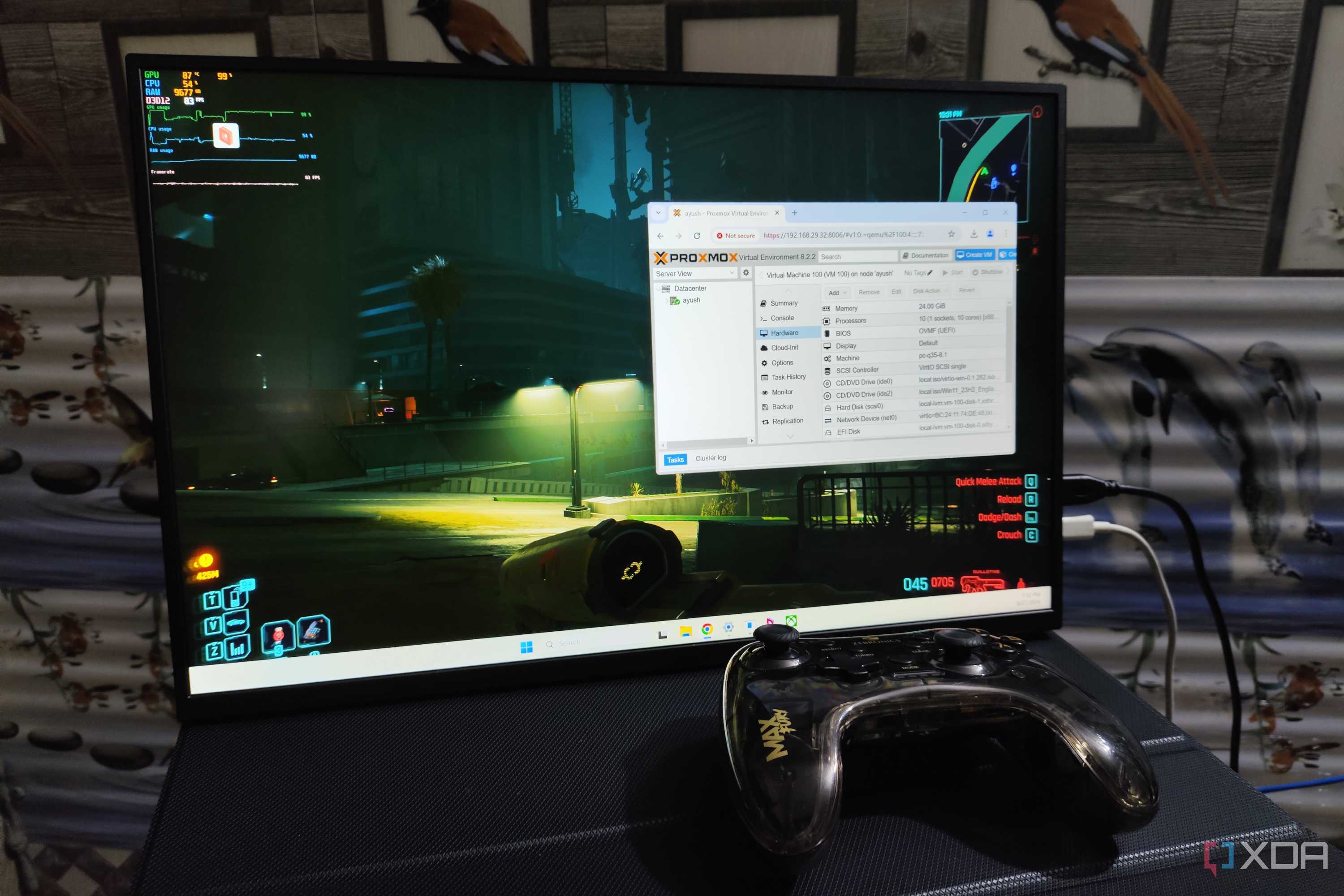
Parsec functions by capturing the video and audio output from your powerful gaming PC (the 'host') and streaming it over the internet to a 'client' device, which could be a laptop, another PC, a Mac, or even a mobile device. The magic lies in its highly optimized encoding and decoding algorithms, designed specifically for low-latency transmission. When you press a button on your client device, that input is sent back to the host PC almost instantly, registering as if you were sitting right in front of it. This process happens in milliseconds, aiming to make remote play feel as close to local play as possible. Unlike general remote desktop tools, Parsec prioritizes speed and fidelity for interactive applications like games, minimizing visual artifacts and input lag, which are critical for an enjoyable gaming experience. This dedicated focus ensures your gameplay remains responsive and visually crisp.
What Are the Key Benefits of Using Parsec for Gamers?
For gamers balancing life's demands, Parsec offers several compelling advantages that align with modern gaming trends and personal preferences:
- Remote Access to Your Powerful PC: Play your high-end PC games from any device, anywhere with a decent internet connection. This means no more compromises if you're traveling for work, at a friend's house, or just want to relax on the couch away from your desk. It extends the reach of your existing hardware.
- Seamless Online Co-op: Transform your local multiplayer games into online experiences. Invite friends to connect to your host PC and play together as if they were in the same room. This is a game-changer for titles without native online multiplayer, fostering social connections crucial for many gamers.
- Cost-Effective Upgrades: Instead of buying multiple powerful gaming machines, you can leverage your primary rig. Play graphically intensive games on a cheaper laptop or even a phone, saving money on additional hardware, which is a major plus for budget-conscious gamers.
- Performance Optimization: Parsec is built from the ground up for gaming, focusing on minimal latency and high-quality video. This makes it superior to general-purpose remote desktop tools for responsive gameplay, ensuring your competitive edge remains intact.
- Flexibility Across Devices: Whether you prefer gaming on a Windows machine, macOS, Linux, Android, or even a Raspberry Pi, Parsec offers client support, expanding your gaming possibilities and adapting to your lifestyle.
Is Parsec Free to Use, and What About Paid Tiers?
Yes, Parsec offers a robust free tier that is perfectly sufficient for most casual and even many dedicated gamers. The free version includes essential features like low-latency streaming, remote play, and the ability to invite friends to join your sessions. For those seeking enhanced features, Parsec for Teams and Parsec Warp are available. Parsec Warp, the premium option for individuals, provides additional benefits such as 4:4:4 color accuracy for superior visual fidelity, the ability to connect multiple monitors remotely, and specialized pen and tablet support, which might appeal to creators or those who also use their remote connection for art or design work. For most gamers focused solely on playing, the free version of Parsec provides excellent value and performance, making it an accessible choice.
What Internet Speed and Hardware Do You Need for Optimal Parsec Performance?
Achieving a smooth Parsec experience heavily relies on your internet connection and a capable host PC. For the host PC, an upload speed of at least 15-20 Mbps is recommended for 1080p 60fps streaming, with fiber optic connections being ideal. Your client device needs a stable download speed of 25-30 Mbps or more. Both devices benefit immensely from a wired Ethernet connection over Wi-Fi, as it drastically reduces latency and packet loss. For hardware, your host PC should have a modern CPU (Intel i5 8th Gen / AMD Ryzen 5 2600 or newer) and a dedicated GPU (NVIDIA GTX 900 series / AMD RX 400 series or newer) for hardware encoding. The client device is less demanding, but a relatively modern processor helps with efficient video decoding, crucial for a lag-free experience. Mobile devices typically require 5G or a strong Wi-Fi 6 connection.
How to Set Up Parsec for Your First Gaming Session?
Getting started with Parsec is straightforward, even for those who aren't tech wizards. Follow these steps for a quick setup:
- Download and Install: Visit the Parsec website on both your gaming PC (host) and the device you want to play on (client). Download and install the Parsec application for each operating system.
- Create an Account: Launch Parsec and sign up for a free account if you don't have one. Log in on both your host and client devices.
- Configure Host PC: On your gaming PC, Parsec will automatically detect your hardware. Ensure your display is active and your games are ready to launch. You might want to adjust bandwidth and resolution settings in Parsec to match your internet capabilities.
- Connect from Client: On your client device, once logged in, you should see your host gaming PC listed under the 'Computers' tab. Click on it and request to connect.
- Accept Connection: Back on your host PC, a notification will pop up asking for permission to connect. Accept it.
- Start Gaming: You are now connected! Launch your game from the client device, and it will appear on your screen, streamed directly from your host PC. For social gaming, use the 'Share' tab on the host to invite friends.
Addressing Latency: How Does Parsec Minimize Input Lag?
Parsec's core strength for gamers lies in its relentless focus on minimizing input lag. It achieves this through several key optimizations. First, its proprietary low-latency video codec is specifically designed to encode and decode video frames with minimal delay, far outperforming standard remote desktop protocols. Second, Parsec leverages hardware encoding (like NVIDIA NVENC or AMD VCE/VCN) on your host's GPU to offload the video processing, freeing up your CPU and speeding up the encoding process. Third, it implements smart network congestion control, dynamically adjusting bitrate and frame rate to maintain stability even on fluctuating connections. Finally, it optimizes the input pipeline, sending your keystrokes and controller inputs directly to the host with priority, ensuring your actions register almost instantaneously. This combined approach is why Parsec feels so responsive for gaming, often achieving sub-30ms total input latency.
Parsec vs. Competitors: How Does It Stack Up Against Steam Remote Play and Moonlight?
When considering remote gaming, Parsec often gets compared to Steam Remote Play and Moonlight. Each has its strengths:
- Parsec: Offers superior performance for a wide range of games and excellent cross-platform support. It's often praised for its lower latency and better visual quality, especially over longer distances or less ideal network conditions. Its strong social features for inviting friends to local co-op games are a major draw. Works for any game, not just Steam titles.
- Steam Remote Play: Integrated directly into the Steam ecosystem, making it incredibly convenient for Steam users. Setup is usually effortless. While it has improved, its performance can sometimes lag behind Parsec, particularly concerning latency and visual artifacts, especially with non-Steam games or complex setups. Best for Steam library access.
- Moonlight: This open-source solution specifically leverages NVIDIA GameStream technology, offering exceptional low-latency performance and high fidelity for users with NVIDIA GPUs. It's often considered Parsec's closest competitor in terms of raw performance but requires an NVIDIA GPU on the host and can be slightly more complex to set up. It doesn't have the same built-in social features as Parsec for inviting friends.
For most US gamers prioritizing low latency, broad compatibility, and social features, Parsec often provides the best all-around experience.
Troubleshooting Common Parsec Gaming Issues
Even with advanced tools like Parsec, you might encounter occasional hiccups. Here are solutions to common problems:
- Stuttering or Lag: Check your internet connection on both ends. Use wired Ethernet if possible. Lower Parsec's bandwidth and resolution settings. Ensure your host GPU drivers are up to date and that hardware encoding is enabled. Close bandwidth-heavy background applications.
- Black Screen: This often indicates a display issue on the host. Ensure your host monitor is turned on and not in sleep mode. If you're using a headless PC, consider using a dummy HDMI plug to simulate an active display. Update your GPU drivers.
- Connection Drops: Verify router stability and check for firewall blocks on both devices. Ensure Parsec is whitelisted. Try restarting your router. Sometimes, network congestion from other household devices can cause drops; try gaming during off-peak hours.
- Input Not Registering: Make sure Parsec has focus on the client device. Check if any conflicting software is running. Restart both Parsec applications. For controllers, ensure they are properly connected to the client and recognized by Parsec.
Best Games to Play with Parsec for Social Gamers
Parsec shines brightest when it enables social gaming, transforming local-only experiences into online adventures. Here are popular game types and specific titles that thrive on Parsec for a 2026 audience:
- Couch Co-op Classics: Titles like
Low-latency game streaming for remote play. Seamless online co-op for local games. Accessible on various devices including mobile. Optimized for high-fidelity visuals and audio. Easy setup for quick sessions. Cost-effective gaming solution. Problem-solving for busy gamers.
34#1 Gallery is parsec good for gaming
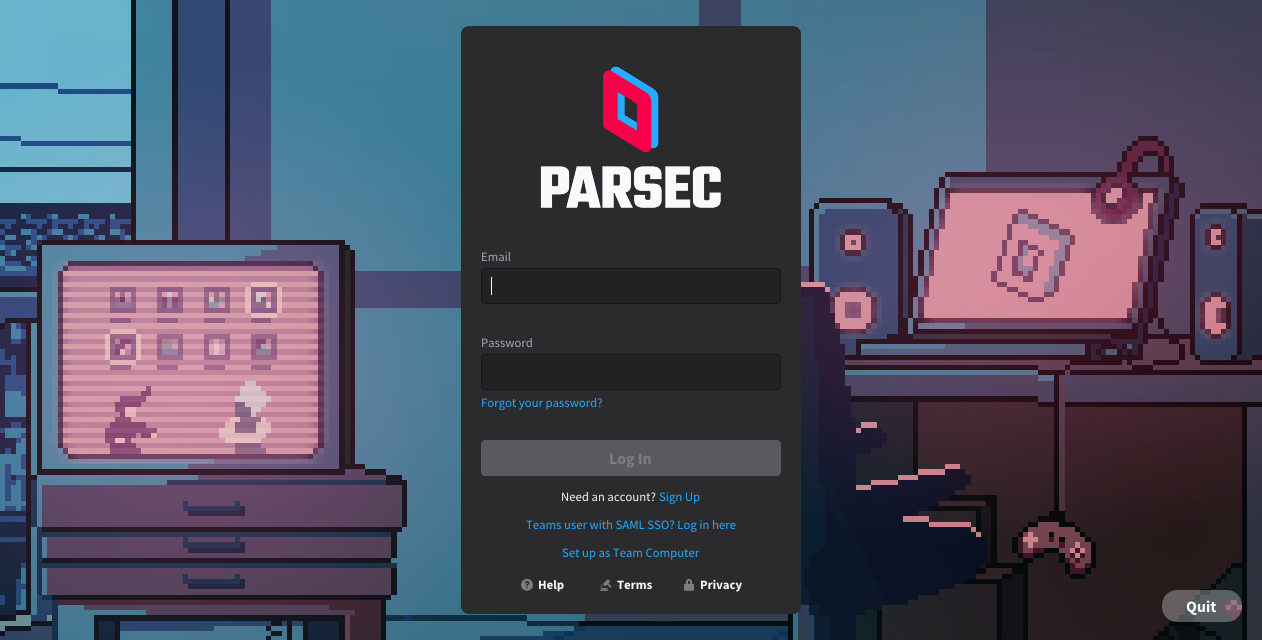

How To Build Your Own Cloud Gaming Server At Home For Free Parsec . 11 Best Cloud Gaming Service Providers Available In 2026 Parsec1 . 2026 Parsec . How To Use Parsec To Play Games On Your GPU VPS Server Parsec Login . 13 Best Parsec For Lag Free Gaming 2025 What Is Parsec
#2 Gallery is parsec good for gaming

Best Parsec Why Parsec May Not Be The Best For You Page4 . Featured StarDesk Blog. 11 Best Parsec Similar Apps In 2026 REGENDUS Best Parsec . My 5 Year Old 5600X Is Still Good Enough For 2026 And I M Not. My 5 Year Old 5600X Is Still Good Enough For 2026 And I M Not
#3 Gallery is parsec good for gaming

My 5 Year Old 5600X Is Still Good Enough For 2026 And I M Not. My 5 Year Old 5600X Is Still Good Enough For 2026 And I M Not. Parsec Linux The Best Remote Gaming And Streaming Tool Parsec Linux 768x432 . Parsec Gaming Discord Parsec For Teams Download JGRZNM Image 15 .webp. 9 Best Parsec For Lag Free Gaming 2025 Parsec Featured New.webp
#4 Gallery is parsec good for gaming


HOW TO OPTIMIZE GAMES WITH PARSEC 2026 FULL GUIDE YouTube . What Is Parsec Gaming Answered Geeky Matters Image 7 .webp. Parsec AI Software Download Hub 1024x538 . Parsec Ph N M M I U Khi N M Y T Nh T Xa H Tr Ch I Game Parsec Hinh 3 . RTX Cloud Gaming With The New AWS G4 Instances Parsec Blog M
#5 Gallery is parsec good for gaming



10 Best ChromeOS Apps For Chromebook Parsec - Best For Cloud Gaming . Parsec Is Now Supported On Simplay S Cloud Gaming Machines By Parsec CDOuQ . 15 Best Parsec 2026 Best Parsec . 10 Best Parsec For Smooth Remote Gaming 10 Best Parsec Alteratives For Smooth Remote Gaming . PARSEC ColecoVison Games Parsec Affiche
#6 Gallery is parsec good for gaming



PC Gaming Without A Rig Using Parsec On Windows Gamingcover . We Re Moving The Party To The Arcade By Parsec Blog Game Work Wx85iZfg . Do You Need Good Internet For Parsec CyberPost Game Faq Hub.webp. Parsec Gaming In 2026 The Complete Guide To Cloud Gaming Setup And Airtable 1.webp. What Is Parsec Gaming Answered Parsec Gaming
#7 Gallery is parsec good for gaming



Parsec Mobile App For IOS And Android Devices In 2026 Parsec . Game Streaming With PARSEC Comparison With MOONLIGHT YouTube . Parsec For Windows How To Download Install Parsecd MooZRWW17u . How To Improve Parsec Gaming Image Quality Two Hearts Games Improve Parsec Image Quality 2000x1200