Navigating Roblox to customize your games and experiences often involves understanding asset IDs. This guide dives deep into Roblox logo IDs, explaining what they are, where to find them, and how to effectively use them in your creations. Whether you are building a new game, designing a virtual store, or simply want to personalize your in-game items, mastering logo IDs is a crucial skill for any serious Roblox creator or player. We will cover everything from locating popular community-made logos to uploading your own custom designs, ensuring you can enhance your Roblox projects with unique visual elements. Discover trending ways to integrate logos seamlessly, troubleshoot common issues, and elevate your creative game.
What are Roblox Logo IDs and Why Should I Care About Them?
Roblox Logo IDs, often referred to as Image IDs or Decal IDs, are unique numerical identifiers assigned to every image asset uploaded to the Roblox platform. Think of them as a digital address for graphics. For creators and even casual players, these IDs are crucial because they allow you to incorporate custom visuals into your games, clothing, and builds. Whether you're branding your game with a unique emblem, designing custom signage, or adding intricate textures, understanding and utilizing logo IDs gives you immense creative control, making your creations more professional and engaging. In a world where personalization is king, especially for adult gamers who want their playtime to feel productive and unique, mastering these IDs is a game-changer.
How Do I Find and Copy a Roblox Logo ID?
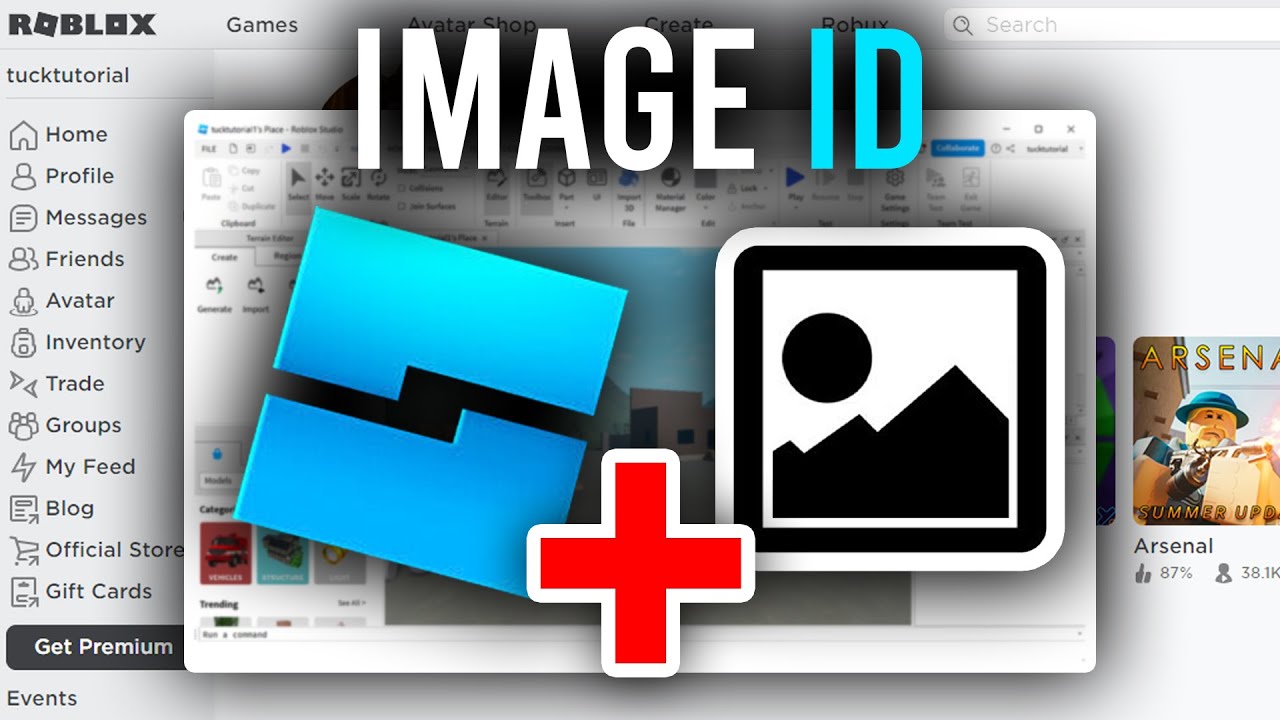
Finding a Roblox Logo ID is straightforward. The most common method is to visit the Creator Marketplace on the Roblox website. Navigate to the 'Decals' section. When you find an image you like, click on it. The ID will be visible in the URL of the asset's page. For example, a URL might look like "roblox.com/library/1234567890/YourImageName". The string of numbers (e.g., "1234567890") is your desired Logo ID. Simply copy these numbers. If you're looking for an ID within Roblox Studio, you can often find it by selecting an image object (like a Decal or ImageLabel) in the Explorer window and checking its 'Texture' or 'Image' property in the Properties window; the ID will be there.
Can I Upload My Own Images to Roblox and Get an ID? What's the Catch?
Absolutely, you can upload your own images to Roblox and receive a unique ID for them. This is how creators bring their custom branding and artwork into the platform. The process involves going to the 'Create' section on the Roblox website, selecting 'Decals,' and then 'Choose File' to upload your image. There's usually a small Robux fee for each upload, which helps cover moderation and hosting costs. The 'catch' is that all uploads are subject to Roblox's strict moderation policies. Your images must adhere to their Community Standards – no copyrighted material (unless you own it or have permission), no inappropriate or offensive content, and generally, it must be family-friendly. It might take some time for moderation to approve your asset, but once approved, you'll get a unique ID to use.
What Are the Best Ways to Use Logo IDs in Roblox Studio for Game Development?
In Roblox Studio, Logo IDs are incredibly versatile. You can use them to:
- Decals: Apply them directly to surfaces of parts for signs, textures, or graffiti.
- ImageLabels and ImageButtons: Create custom UI elements for menus, buttons, or informational displays.
- Textures: Use them for custom material textures on parts, giving them unique looks.
- Billboards and SurfaceGuis: Display large, dynamic graphics on 3D surfaces in your game world.
- Custom Clothing/Accessories: For advanced creators, image IDs are fundamental to custom avatar items.
Why Is My Roblox Logo ID Not Working or Showing Up?
This is a common frustration for creators! Several issues can cause a Logo ID to fail:
- Incorrect ID: Double-check that you've copied the numbers correctly.
- Private Asset: The original creator might have set the decal to private, making it inaccessible.
- Moderation: Roblox might have taken down the asset for violating community guidelines.
- Pending Moderation: If you just uploaded it, it might still be awaiting approval.
- Internet Issues: A poor connection can sometimes prevent assets from loading.
- Roblox Server Issues: Rarely, platform-wide issues can cause assets to fail loading.
Are There Any Copyright or Moderation Rules I Need to Know for Roblox Logo IDs?
Absolutely. Roblox takes intellectual property and community safety very seriously. When uploading or using logo IDs, you must:
- Respect Copyright: Do not upload or use images you don't own or have explicit permission to use. Using popular brand logos or copyrighted characters without authorization can lead to your asset being removed and potential account action.
- Adhere to Community Standards: All content must be appropriate for a broad audience. This means no offensive, explicit, hateful, or discriminatory imagery.
- No Personal Information: Do not include any real-world personal identifiable information in your images.
How Can Logo IDs Help Me Build a Better, More Engaging Roblox Game?
Logo IDs are essential for creating a professional and immersive gaming experience. By incorporating unique logos, you can:
- Brand Recognition: Establish a distinct identity for your game, making it recognizable and memorable.
- Thematic Immersion: Add custom signs, textures, and UI elements that perfectly fit your game's theme, enhancing the player's immersion.
- Information & Guidance: Use logos for intuitive signs, map markers, or quest icons to guide players efficiently.
- Community & Social Play: Foster a sense of community by displaying team logos, clan emblems, or player-created art, encouraging social interaction.
- Monetization: Create custom branding for in-game stores or premium items, making them more appealing.
Ever felt that itch to make your Roblox game or avatar truly stand out? You spend hours building, scripting, and perfecting, but sometimes it's the little details that make the biggest impact. For many US gamers, balancing a full-time job, family life, and still finding time for their favorite digital worlds can be tough. When you finally sit down to game, you want that experience to be rewarding and personal. That’s where understanding Roblox logo IDs comes in. Think about it: a custom logo can transform a simple build into a branded masterpiece, making your game instantly recognizable and professional. With 87% of US gamers playing regularly, often for 10+ hours a week, and mobile gaming still dominating, customization options that are easy to implement are more valuable than ever.
But finding the right logo ID, or even knowing where to start, can feel like navigating a maze. You don't want to waste your precious gaming time searching through endless forums or struggling with broken links. This guide is built for you, the dedicated gamer who appreciates efficiency and impact. We're going to cut through the noise, providing clear, actionable steps to find, create, and use Roblox logo IDs, helping you enhance your creations without the usual headache. Let's make your Roblox projects shine with unique visual flair, giving you more time to enjoy what you've built or relax with friends.
What Exactly Are Logo IDs in Roblox and Why Do Gamers Need Them?
At its core, a Roblox Logo ID is a unique numerical identifier assigned to every single image asset uploaded to the Roblox platform. Think of it as a digital fingerprint or a specific address for a picture, whether it's a simple icon, a complex texture, or a full-blown game emblem. These IDs are absolutely essential for anyone looking to personalize their Roblox experience beyond the basic offerings. For the average US gamer, who might be juggling work, family, and limited gaming time, efficiency and impact are key. Instead of spending hours designing or recreating assets, knowing how to find and use these IDs allows for rapid customization. This empowers creators to quickly brand their games, add custom visuals to their avatars, or even create intricate in-game art installations, saving valuable time and enhancing the overall quality of their digital creations. In 2026, with Roblox continuing its surge in user-generated content, mastering these IDs is akin to having a secret weapon for standing out.
Gamers need Logo IDs for a multitude of reasons. They facilitate the integration of custom assets into games, allowing for unique signage, user interface elements, and decorative touches that elevate immersion. For developers, this means creating distinctive brand identities for their experiences, which is vital for attracting and retaining players in the highly competitive Roblox ecosystem. For players who dabble in building or avatar customization, these IDs open up a world of creative possibilities without requiring advanced design skills. It’s all about making your mark, showcasing individuality, and ensuring your gaming time, whether for relaxation or skill-building, feels genuinely rewarding.
How Do I Find Existing Logo IDs and Decal IDs on Roblox?
Finding existing Logo IDs or Decal IDs on Roblox is a process that savvy creators have perfected over time. The primary method involves leveraging the Roblox Creator Marketplace. Start by navigating to the "Create" section on the Roblox website, then look for the "Creator Marketplace" and select "Decals." Here, you'll find a vast library of user-uploaded images. You can use the search bar to look for specific themes, objects, or even popular culture references, though always be mindful of copyright. Once you click on an image that catches your eye, the asset's dedicated page will load. The crucial Logo ID is embedded directly in the URL of this page. For example, in "https://www.roblox.com/library/1234567890/Cool-Game-Logo," the "1234567890" sequence is your coveted ID.
Another common approach is within Roblox Studio itself. If you're working on a project and see an image or decal applied to a part, you can often retrieve its ID. Simply select the part in the Explorer window, then look at its properties in the Properties window. If it's a Decal, ImageLabel, or any other object that uses an image, the Texture or Image property will display the asset ID. Copying this numerical string allows you to reuse that exact image elsewhere. Remember, a significant portion of US gamers enjoy social play and building, and efficiently sharing and reusing these assets can be a huge time-saver and community builder.
Can I Upload My Own Custom Logos to Roblox? What's the Process?
Yes, absolutely! Uploading your own custom logos is one of the most powerful features Roblox offers to creators, allowing for unparalleled personalization and branding. The process is straightforward: first, prepare your image. Common formats like PNG or JPG are supported, and recommended resolutions often range from 512x512 pixels up to 1024x1024 pixels for decals, though Roblox can resize. Ensure your image is optimized for web use to help with loading times, which is a consideration for performance-focused gamers.
Once your image is ready, navigate to the "Create" section on the Roblox website, then select "Decals" from the left-hand menu. You'll see an option to "Choose File" or "Upload Image." Select your prepared logo, give it a descriptive name (this helps with organization later), and click "Upload." There is typically a small Robux fee associated with uploading assets, which helps cover the platform's moderation and hosting costs. After uploading, your image will enter a moderation queue. Roblox's team reviews all user-generated content to ensure it adheres to their Community Standards. This process can take anywhere from a few minutes to several hours. Once approved, your custom logo will be assigned a unique ID, making it accessible for use in your games and creations.
What Are the Best Practices for Using Logo IDs in Roblox Studio?
Effective use of Logo IDs in Roblox Studio can significantly enhance your game's quality and performance. Firstly, organization is key. When creating UI elements, group related ImageLabels and ImageButtons within ScreenGuis or Frame objects. This keeps your workspace tidy and makes debugging easier. For decals on 3D objects, consider using a dedicated folder for all your game's visual assets, making them easy to locate and manage.
Secondly, optimize for performance. While Roblox handles some optimizations, using excessively large image files can still impact game loading times and framerates, especially for players on mobile devices, which account for a large percentage of Roblox users. Aim for resolutions that fit the display size without being overkill. For example, a small icon doesn't need to be 1024x1024. Also, be mindful of the number of unique images you're loading in a single area. Repeated use of the same Logo ID is more efficient than using many different ones. Lastly, consider context and placement. A well-placed, appropriately sized logo can convey information quickly or establish mood, while a poorly placed or garish one can detract from the experience. Use bold lettering for key informational logos and integrate them naturally into your game's environment or UI.
How Do I Troubleshoot Common Issues with Roblox Logo IDs Not Appearing?
It's frustrating when your custom logos don't show up as expected, but common issues often have simple solutions. Here's a troubleshooting checklist:
Verify the ID: The most frequent culprit is a typo. Double-check that the numerical ID you've entered is absolutely correct. Even one wrong digit will cause it to fail. Copy-pasting directly from the Roblox website is the safest bet.
Check Asset Status: If you're using a public ID, visit its page on the Roblox Creator Marketplace. Has it been set to private by the creator? Has Roblox moderated and removed it for violating community guidelines? If so, you'll need to find an alternative.
Pending Moderation: For recently uploaded custom logos, ensure it's been approved by Roblox's moderation team. Images that are "Pending" will not display in games. Give it some time.
Internet Connection: A weak or unstable internet connection can sometimes prevent assets from loading properly. Try restarting your router or switching networks if possible.
Roblox Studio Bugs: Occasionally, Studio itself might have a temporary glitch. Try restarting Studio, or even your computer. If it's a persistent issue affecting many assets, check Roblox's status page or community forums for widespread reports.
Parent Object Visibility: Ensure the object (Part, ScreenGui, etc.) that the Decal, ImageLabel, or ImageButton is attached to is visible and not hidden (e.g., Visible property set to false, or Transparency at 1).
By systematically going through these checks, you can usually pinpoint the problem and get your logos displaying correctly.
Are There Any Copyright or Moderation Rules for Using Logos in Roblox?
Yes, absolutely, and these rules are critical to understand to avoid account warnings or even bans. Roblox operates on strict Community Standards and Terms of Use, which apply directly to all user-generated content, including logos. The two main pillars are Copyright/Intellectual Property and Appropriate Content.
Copyright: You cannot upload or use images that you do not own the rights to, or for which you do not have explicit permission from the copyright holder. This means you can't just grab a popular brand's logo, a movie character, or a sports team emblem and use it in your game without permission. Violating copyright can lead to your asset being taken down and potential legal action if the rights holder pursues it. Always create original content or use assets explicitly labeled for free, public use.
Appropriate Content: All logos must be family-friendly and adhere to Roblox's guidelines against offensive, hateful, discriminatory, sexually explicit, violent, or otherwise inappropriate content. This applies to both the visual content of the image and any hidden messages. Roblox uses advanced moderation tools and a dedicated team to review uploads, so attempting to bypass these rules will likely result in the asset being removed and potential moderation action against your account. For US gamers, these guidelines are designed to create a safe and inclusive environment for all, aligning with current trends towards responsible online spaces.
Always err on the side of caution. If in doubt, create your own unique design or seek royalty-free assets.
What Are Some Popular Roblox Logo IDs Trending This Month?
Staying current with trending Roblox Logo IDs can give your game a fresh, relevant feel, tapping into what the community finds exciting. While specific IDs change rapidly, there are always categories that remain popular. This month, we're seeing continued trends in:
Cozy & Aesthetic Art: With the rise of "cozy gaming" and aesthetic builds, nature-inspired decals, pastel color palettes, and minimalist icons are highly sought after. Think subtle leaf patterns, soft glow effects, and comforting symbols for cafes or relaxation spots.
Sci-Fi & Cyberpunk Elements: As new titles in the sci-fi genre gain traction, futuristic UI elements, neon signs, circuit board patterns, and holographic effects are trending. These are perfect for games set in advanced technological worlds or those with competitive esports vibes.
Retro & Pixel Art: Nostalgia never fades. Pixelated logos, retro arcade aesthetics, and 8-bit inspired graphics are making a strong comeback, particularly for adventure games or unique mini-games.
Social Gaming Icons: Icons representing common social actions like "join," "emote," "trade," or specific social platforms (Discord, X) are always in demand for enhancing social hubs and communication within games.
Seasonal & Event Specifics: Keep an eye on current real-world holidays or major Roblox events. Developers quickly create logos tied to these for limited-time game features or decorations. Always check the Creator Marketplace and sort by "Recently Updated" to catch these timely trends.
For actual IDs, it's best to browse the Creator Marketplace directly, as trending items are constantly updated. Look for decals with high favorites or recent uploads from popular creators for the most up-to-date options.
How Can Logo IDs Enhance My Game's User Experience and Branding?
Logo IDs are far more than just decorative elements; they are powerful tools for significantly enhancing your game's user experience (UX) and establishing a strong brand identity. For the busy adult gamer, an intuitive and visually appealing experience is paramount, directly influencing their engagement and retention.
Clear Navigation: Custom icons and logos can serve as intuitive visual cues for menus, inventory slots, map markers, and interactive objects. Instead of plain text, a well-designed logo can instantly communicate functionality, reducing cognitive load and making navigation smoother. This is crucial for gamers with limited time, allowing them to quickly understand and interact with your game.
Immersive World-Building: Branded signage, themed textures, and custom advertisements within your game world add layers of realism and immersion. Imagine a bustling city game with unique shop logos or a fantasy realm with distinctive faction banners. These details make the world feel more alive and coherent, encouraging deeper exploration and emotional connection.
Strong Brand Recognition: A consistent visual language, anchored by unique logos, helps your game stand out in the crowded Roblox marketplace. A distinctive title logo, loading screen emblem, or in-game currency icon creates a memorable identity. This fosters a sense of professionalism and quality, which gamers, especially those who balance gaming with life, appreciate when investing their limited free time into a new experience. It also encourages social sharing and community building around your brand.
Emotional Connection: Well-designed logos can evoke specific emotions or associations, contributing to the overall tone and feel of your game. A quirky, fun logo for a minigame hub, or a sleek, serious one for a competitive arena, directly shapes player perception and engagement. This aligns with the desire for gaming to be a stress-relieving, enjoyable escape.
By strategically implementing logo IDs, you can transform a good game into a great one, offering an experience that is not only functional but also visually captivating and distinctly yours.
What's the Difference Between Image IDs, Decal IDs, and Logo IDs?
It's common for new creators to get these terms slightly muddled, but they largely refer to the same underlying concept with subtle contextual differences. Think of it like this:
Image ID: This is the broadest, most general term. An Image ID refers to the unique numerical identifier for any visual asset uploaded to Roblox that isn't a 3D model, animation, or audio file. This includes anything from a simple UI icon, a texture for a part, a decal, or even a background image. If it's a 2D graphic, it has an Image ID. It's the technical term Roblox uses for these assets in its backend and many API calls.
Decal ID: A Decal ID is a specific type of Image ID. A "decal" in Roblox refers to an image asset that is intended to be applied onto the surface of a 3D part. When you upload an image through the "Decals" section of the Creator Marketplace, it primarily serves as a decal. These are typically used for signs, textures, artwork on walls, or any flat surface within the 3D world. While a Decal ID is an Image ID, not all Image IDs are necessarily created or intended as decals (e.g., a GUI image). However, you can often use a Decal ID in an ImageLabel, making the terms somewhat interchangeable in practice for many uses.
Logo ID: This is more of a conceptual or user-facing term rather than a technical one. A "Logo ID" simply refers to an Image ID or Decal ID that is being used specifically as a logo—an emblem, brand mark, or identifying symbol for a game, group, or in-game entity. When someone asks for a "Roblox logo ID," they typically mean the ID of an image that serves the function of a logo. So, while technically it could be an Image ID or a Decal ID, its purpose defines it as a "logo."
In essence, all "Logo IDs" are "Image IDs," and many "Logo IDs" are also "Decal IDs." The specific term often depends on the context of its use within the platform.
How Can I Organize and Manage My Roblox Logo IDs Effectively?
As your Roblox projects grow, managing numerous Logo IDs can become a challenge. Effective organization is crucial for efficiency and avoiding headaches, especially for developers who value smooth workflows. Here are some pro tips:
In-Studio Organization:
Folders: Within Roblox Studio's Explorer window, create dedicated Folder objects to categorize your ImageLabels, Decals, and ImageButtons. For example, a "UI_Logos" folder, a "Environment_Decals" folder, or a "Branding" folder. This keeps your workspace clean and makes it easy to find specific assets.
Descriptive Naming: Rename ImageLabels and Decals to something meaningful, e.g., GameTitleLogo, ShopIcon_Weapons, MainMenuBackground. Avoid generic names like Image1.
External Tracking (Highly Recommended):
Spreadsheet: For larger projects, maintain a simple spreadsheet (Google Sheets, Excel) where you list the Asset Name, Asset ID, Purpose/Description, Date Uploaded, and Approval Status. This acts as a centralized database for all your custom assets. This month, many professional Roblox creators rely on such systems.
Project Management Tools: If you use Trello, Asana, or similar tools, integrate asset IDs directly into tasks or design boards. This keeps your development team aligned and ensures everyone uses the correct assets.
Version Control: If you frequently update logos, consider maintaining different versions with clear naming conventions (e.g., GameLogo_v1, GameLogo_v2). This helps track changes and revert if needed. For developers, this aligns with best practices in software development.
Public vs. Private Awareness: Keep track of which IDs are for public assets you might rely on (and thus could become unavailable) versus your own private uploads. This helps mitigate issues if a public asset goes missing.
By implementing these organizational strategies, you'll save countless hours searching for IDs, ensure consistency across your projects, and maintain a more streamlined development process, allowing you more time to enjoy your gaming creations.
Mastering Roblox logo IDs is a powerful tool in any creator's arsenal. It's about more than just adding an image; it's about crafting a unique identity for your games and experiences, making them more engaging and memorable for players. We've covered everything from finding existing assets to uploading your own, understanding moderation, and optimizing their use within Roblox Studio. For busy gamers who value efficiency and impact, these skills help you make the most of your creative time.
By leveraging custom logos, you not only elevate your visual design but also tap into the social aspect of Roblox, building a brand that resonates with your community. So go ahead, experiment with new designs, personalize your worlds, and let your creativity flow. What's your biggest gaming challenge when it comes to customization? Comment below!
FAQ: Quick Answers to Your Logo ID Questions
Q: How do I find the ID of an image I see in a Roblox game?
A: If you see an image in a Roblox game and want its ID, you usually need to check the game's assets or, if it's a decal, look for it on the Roblox website by searching through creators' inventory. Often, clicking on an image in the "Decals" section of the Creator Marketplace will reveal its ID in the URL.
Q: Can I use any image from the internet as a logo in Roblox?
A: No. While you can upload images, they must adhere to Roblox's Community Standards and Terms of Use. This means no copyrighted material without permission, no inappropriate content, and generally ensuring the image is safe for all ages. Roblox's moderation team reviews uploads.
Q: Why do some Roblox logo IDs stop working?
A: Logo IDs can stop working for several reasons, including the original creator setting the asset to private, the asset being deleted, or Roblox's moderation team removing it for violating community guidelines. Always double-check IDs periodically, especially for public assets.
Q: Is there a fee to upload custom logos to Roblox?
A: Yes, typically there is a small Robux fee to upload images, decals, or audio to Roblox. This fee helps cover the moderation and storage costs associated with user-generated content. Check the current fee structure in Roblox Studio or on the Creator Hub for precise amounts.
Q: How can I make my custom Roblox logos load faster in my game?
A: To optimize loading, ensure your image files are reasonably sized (e.g., 512x512 pixels is common for decals) and compressed without losing quality before uploading. Roblox automatically optimizes assets to some extent, but starting with efficient files helps. Consider using image labels instead of surface GUIs where possible for performance.
Q: Where can I find a list of free public domain logo IDs for Roblox?
A: While there isn't one official "list," many creators share public domain or freely usable decals in the Creator Marketplace. Searching for generic terms like "free logo," "public decal," or specific themes often yields results. Always verify the asset's permissions or source if you're unsure.
Finding Roblox logo IDs, Using custom logos in Roblox, Roblox image asset IDs explained, Creating unique Roblox game visuals, Troubleshooting Roblox logo issues, Trending Roblox customization.
35


ROBLOX VAI MUDAR DE LOGO EM 2026 YouTube . 100 Best Decal IDs In Roblox June 2026 Beebom Best Decal IDs In Roblox 1 . Roblox 2026 New Logo REVEAL First Look At The Future Shorts YouTube Hq2 . Like And Subscribe If U Want The Roblox Logo 2026 Will Be That Oar2 . What Are Roblox Ice Decals For 2026 Best Decal Ids Roblox


Roblox 2026 Logo Evolve YouTube Oardefault . LOGO Roblox 2026 YouTube Maxres2 . Roblox 2026 Logo REVEALED New Color New Look YouTube Maxres2 . 2025 2026 Roblox Logo Roblox YouTube Oar2 . Logo Roblox 2023 2026 YouTube Oar2




159 Roblox Image IDs 2026 How To Find Use Them Easily Roblox Fi 1024x683 . Roblox Image ID Database 2026 Lawod Roblox Image ID Database 1536x864 . 2026 Logo Roblox 2026 Trollface YouTube Maxres2 . Roblox. Roblox Logo In 2025 2026 YouTube Maxres2




Roblox 2026 Logo Roblox YouTube Oar2 . TERNYATA Begini Perubahan Logo Roblox Dari Tahun Ke Tahun Sampai 410486451 . Id Xbox Logo Roblox Logo Historia . Is Roblox Trash The Real Talk For 2026 . 20 Roblox Full Music Codes IDs January 2026 WORKING ROBLOX ID


Why Are Roblox NWA Decals So Popular . What Is A Roblox Logo ID And How Do You Use It . 2022 Roblox Logo . Roblox 2026 Logo Mp3 Mp4 Download Clip Africa Com Mqdefault . Roblox Logos ID Your Ultimate Guide



150 Verified Roblox Song IDs Music Codes The 2026 Master Registry Best Roblox Song Id Music Codes . Why Did The Roblox Logo Turn Blue 2025 Update Screenshot 2025 05 04 032601 . What Does Your Roblox Karma ID Truly Mean . 2022 Roblox Uncensored Audio What Happened A06b6 1920 . Roblox ID Does Your Digital Identity Truly Matter Songid Roblox2024 02


100 Roblox Music Code ID S 2026 WORKING AFTER UPDATE . Evolution Of Roblox Logo Including 2026 Robloxlogo YouTube Oar2 . WOW The 2026 Roblox Logo Shocks All Players YouTube Maxres2 . What Are Portal Decals In Roblox And How Do They Work Today Roblox . M U Logo New Roblox Logo M I Cho Game Th Tr N To N Th Gi I