Discover the ultimate guide on how to boost internet for gaming performance. This comprehensive resource offers practical tips and tricks to optimize your connection ensuring smoother gameplay and reduced lag. Whether you are battling network congestion or seeking to fine tune your router settings this article provides clear actionable steps. Learn about the impact of wired versus wireless connections the benefits of Quality of Service QoS settings and essential hardware upgrades that can make a real difference. We cover everything from identifying internet bottlenecks to implementing advanced network configurations. Gamers often face frustrating latency issues which can severely impact their experience. This guide helps you identify common problems and provides solutions to enhance your online gaming sessions. Improve your ping reduce packet loss and enjoy a seamless gaming environment. This article is your go to source for all things related to internet optimization for gaming. Stay ahead of the competition with a robust and reliable connection.
How can I stop lag when playing online games?
The most effective ways to stop lag involve switching to a wired Ethernet connection, optimizing your router's Quality of Service (QoS) settings to prioritize game traffic, and minimizing background internet usage on all devices. Regularly restarting your modem and router can also resolve temporary lag issues by refreshing your network connection.
What are the best internet settings for faster gaming?
For faster gaming, ensure your router has QoS enabled for your gaming device, use the 5 GHz Wi-Fi band if wireless, or ideally, a direct Ethernet connection. Update your network drivers and router firmware, and consider changing your DNS servers to public options like Google DNS or Cloudflare. These settings reduce latency and improve stability.
Is my Wi-Fi good enough for competitive gaming?
While modern Wi-Fi can be fast, it is generally not ideal for competitive gaming due to inherent instability and susceptibility to interference, which can cause unpredictable lag spikes. A wired Ethernet connection is always recommended for the most consistent, lowest-latency experience in competitive play. If Wi-Fi is your only option, use 5 GHz and optimize placement.
What causes high ping in games and how do I fix it?
High ping is often caused by distance to the game server, network congestion, Wi-Fi interference, or issues with your Internet Service Provider's routing. To fix it, use a wired connection, close bandwidth-heavy background apps, enable QoS, and ensure your router firmware is current. Sometimes, contacting your ISP or trying a different DNS server can also help.
Should I get a new router to improve my gaming internet?
You should consider a new router if your current one is old, frequently drops connections, or lacks modern features like robust QoS settings or 5 GHz Wi-Fi. A dedicated gaming router or a modern Wi-Fi 6/7 router can offer improved performance, better signal strength, and more efficient traffic management, significantly enhancing your gaming internet.
What is the absolute first step to take if my game is lagging?
The very first step is to restart your modem and router. This clears out temporary issues and often resolves many common connectivity problems by refreshing your network's connection to your Internet Service Provider.
Does my upload speed matter for gaming or just download?
While download speed is crucial for receiving game data, a stable upload speed is also very important for gaming, especially for sending your actions to the game server. Insufficient upload speed can lead to rubberbanding or disconnects, even if your download is fast.
How can I check if my internet provider is throttling my gaming connection?
To check for throttling, run speed tests at different times of the day, particularly during peak gaming hours, and compare results. You can also try using a reputable VPN temporarily; if your speeds improve with the VPN, it might indicate throttling. Look for sudden drops in speed that do not align with normal network congestion.
Are there specific times of day when internet is better for gaming?
Generally, off-peak hours (late night or early morning) tend to have less network congestion, leading to better internet performance for gaming. During peak times, usually evenings, more people are online, which can increase latency and reduce available bandwidth.
What is ping and why is a lower ping crucial for competitive gaming?
Ping, measured in milliseconds ms, is the time it takes for data to travel from your computer to the game server and back. A lower ping means less delay between your actions and what happens in the game, giving you a significant advantage in competitive gaming where split second decisions matter.
Can older network cables impact my gaming internet speed?
Yes, older or damaged Ethernet cables can absolutely impact your gaming internet speed and stability. Cat5 cables are outdated; upgrading to a Cat5e or preferably a Cat6 Ethernet cable ensures maximum throughput and minimizes interference for a more reliable connection.
Should I use my router's 2.4 GHz or 5 GHz band for gaming?
For gaming, always prioritize the 5 GHz Wi-Fi band if you must use wireless. The 5 GHz band offers faster speeds and less interference than the 2.4 GHz band, though its range is shorter. Ideally, a wired Ethernet connection is superior for consistent gaming performance.
Hey fellow gamers! Ever been in the middle of a crucial ranked match only for your internet to stutter costing you that win? Or perhaps you are just trying to enjoy a chill co op session with friends but constant lag makes it feel more like a chore than fun. You are not alone. In fact gaming is a huge part of American life with recent data showing that around 87% of US gamers play regularly often dedicating 10 or more hours a week to their favorite titles. Many of us are balancing jobs families and life responsibilities meaning our gaming time is precious. We want relaxation skill building social connection and above all smooth performance. Lag high ping and choppy connections are the ultimate buzzkills. This comprehensive guide is designed to help you the everyday gamer understand how to boost internet for gaming ensuring your limited time online is as enjoyable and frustration free as possible. We will dive into practical budget friendly solutions to optimize your connection without the unnecessary hype focusing on real world fixes for common pain points.
For the average gamer around 36 years old who juggles work and family finding effective ways to optimize gaming without breaking the bank or dedicating hours to complex setups is key. Performance optimization and value for money are top priorities. This article aims to cut through the noise providing clear actionable advice that addresses common setup issues performance problems and hardware upgrades on a budget. Let us transform your frustrating lag into fluid gameplay and help you get the most out of your gaming sessions.
What is the best way to check my current internet speed and latency for gaming?
Before you can boost internet for gaming you need to know what you are working with. The best way to check your internet speed and latency often referred to as ping is by using reliable online speed tests. Websites like Speedtestnet or Fastcom provide accurate readings of your download speed upload speed and ping. For a more game specific test you can often find servers to ping directly within games or use specialized tools that test latency to various game regions. Remember to run these tests multiple times throughout the day and preferably while connected via Ethernet for the most accurate baseline. Consistency in these readings is just as important as the numbers themselves.
Understanding your current performance helps identify if your issues are due to slow speeds or high latency. A low ping usually under 50ms is ideal for most online games especially competitive titles. Download speeds of 25-50 Mbps are generally sufficient for single player online gaming but higher speeds (100+ Mbps) are better for multiple users streaming or downloading in the household while gaming. Upload speeds though often overlooked are crucial for sending your game data to the server and avoiding input lag.
How does a wired Ethernet connection drastically improve gaming over Wi-Fi?
This is arguably the single most impactful tip for how to boost internet for gaming. A wired Ethernet connection offers unparalleled stability speed and low latency compared to Wi-Fi. Wi-Fi signals are susceptible to interference from other electronic devices walls and even air particles. This interference can cause packet loss and inconsistent ping leading to frustrating lag spikes and disconnects. An Ethernet cable provides a direct physical link to your router ensuring a consistent data flow.
For gamers balancing work and life who appreciate stability and reliability an Ethernet cable is a small investment with huge returns. It eliminates the variables inherent in wireless signals giving you a more predictable and responsive gaming experience. Even if your Wi-Fi is fast an Ethernet connection will almost always provide lower latency which is paramount for competitive titles where every millisecond counts. In the world of PC and console gaming an Ethernet cable is the gold standard for connectivity.
Which router settings can I adjust to prioritize my gaming traffic?
Many modern routers come with Quality of Service (QoS) settings which are invaluable for how to boost internet for gaming. QoS allows you to prioritize certain types of internet traffic or specific devices on your network. By setting your gaming PC or console as a high priority your router will ensure that gaming data gets precedence over other activities like streaming downloads or video calls. This helps prevent lag even when other household members are using the internet.
Access your router settings by typing its IP address typically 19216811 or 19216801 into your web browser. Look for a section labeled QoS or Traffic Management. Some advanced routers also offer specific gaming modes or the ability to enable port forwarding for particular game servers though this is often only necessary for hosting games or resolving strict NAT types. Regularly updating your router firmware also ensures you have the latest features and performance enhancements.
Is upgrading my internet plan always the answer for better gaming performance?
Not necessarily. While a faster internet plan can definitely help with how to boost internet for gaming especially if multiple people are using the connection or if you frequently download large game updates it is not always the primary solution for lag. If your current download speeds are already above 50 Mbps and your ping is high the issue might be with your latency or network congestion rather than raw bandwidth. Upgrading your plan will not magically fix poor router placement or Wi-Fi interference.
However if your household has multiple high bandwidth users streaming 4K content downloading large files or participating in video calls while you game a higher speed plan could prevent bottlenecking. For example if you are part of the 10+ hours a week gaming demographic and others in your home also use the internet heavily investing in a higher tier plan might be a smart move. Always diagnose your current issues first before committing to a more expensive subscription.
How can I effectively minimize background internet usage while I am gaming?
Minimizing background internet usage is a straightforward yet effective strategy for how to boost internet for gaming. Many applications and operating system features constantly use bandwidth without you realizing it. Before starting a gaming session take a few moments to close unnecessary programs on your gaming device. This includes cloud storage services (Dropbox Google Drive OneDrive) streaming apps (Netflix Spotify) and even browser tabs that might be auto refreshing.
On Windows you can check Task Manager for network usage. On consoles ensure automatic updates are paused or scheduled for off peak hours. If you are on PC consider using a gaming mode that many operating systems or third party utilities offer which automatically optimizes settings and suppresses background processes. Informing household members about your gaming schedule and asking them to temporarily reduce their bandwidth heavy activities can also make a significant difference especially during crucial moments.
Are specific Wi-Fi channels or bands genuinely better for online gaming?
Absolutely. When using Wi-Fi for gaming the 5 GHz band is generally superior to the 2.4 GHz band. The 5 GHz band offers faster speeds and significantly less interference because there are more channels available and fewer devices typically operate on it compared to the crowded 2.4 GHz band (which is used by many smart home devices microwaves and cordless phones). However the 5 GHz band has a shorter range and struggles more with penetrating walls.
If you must game on Wi-Fi ensure your device is connected to the 5 GHz band and is as close to the router as possible without major obstructions. You can also log into your router settings to manually select a less congested Wi-Fi channel. Apps like Wi-Fi Analyzer can help you identify which channels are being used by your neighbors allowing you to pick a clearer one. This fine tuning can noticeably improve your wireless stability for gaming.
When should I consider investing in a dedicated gaming router or a mesh Wi-Fi system?
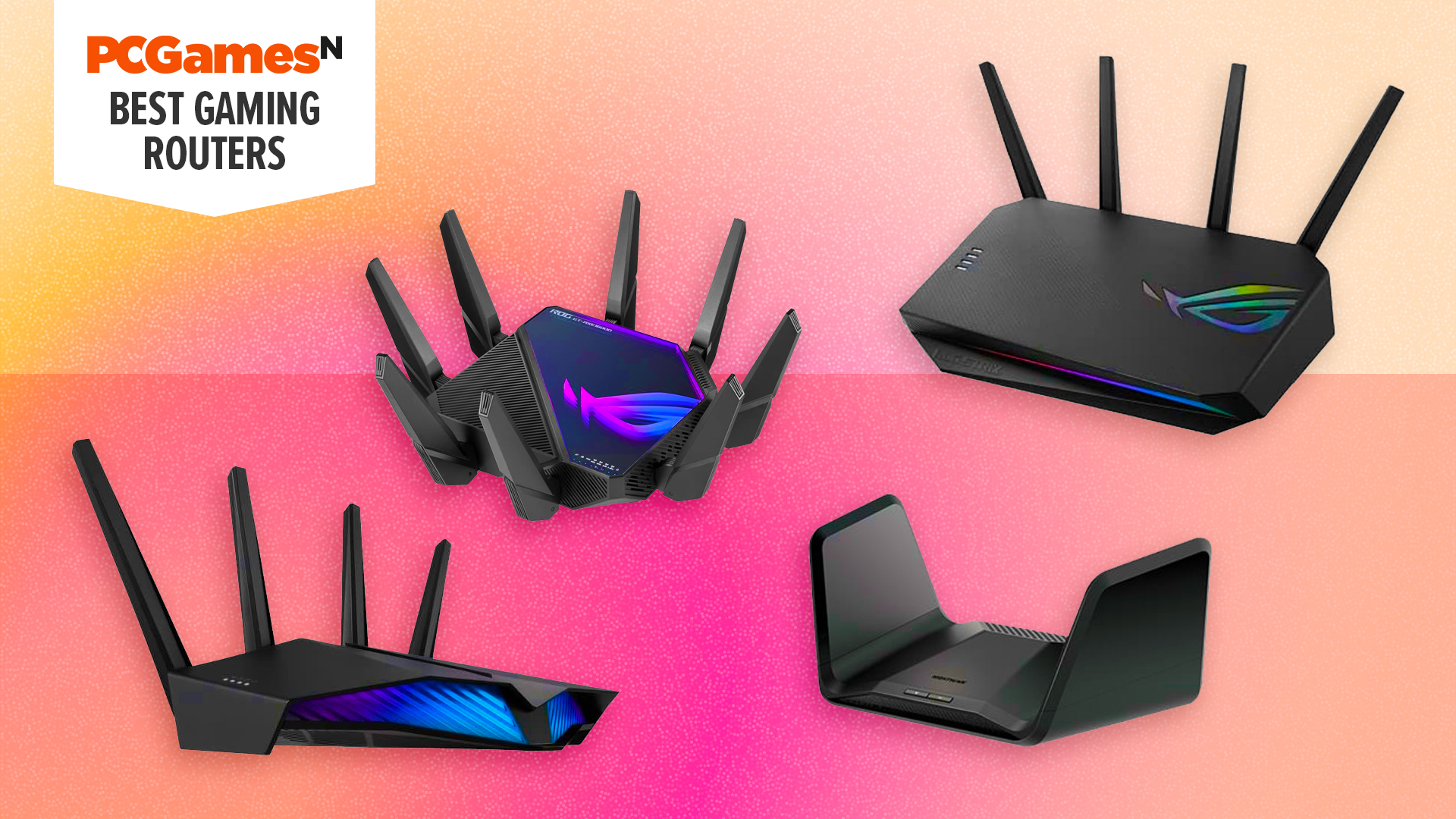
For many gamers a standard ISP-provided router is adequate but a dedicated gaming router or a mesh Wi-Fi system can provide substantial benefits for how to boost internet for gaming especially in specific scenarios. A gaming router is engineered with features like advanced QoS, powerful processors for handling multiple connections, and often lower latency firmware. They are ideal for serious gamers who demand peak performance and advanced customization options.
A mesh Wi-Fi system is more suited for larger homes or those with dead zones where a single router struggles to provide consistent coverage. While not specifically designed for gaming mesh systems excel at spreading a strong Wi-Fi signal across a wider area which can indirectly improve gaming stability if your current Wi-Fi is weak in your gaming spot. For gamers who prioritize a stable connection throughout a large home a mesh system can be a great solution, often supporting mobile and cross-play experiences smoothly.
What role do DNS settings play in gaming, and how can I optimize them?
DNS (Domain Name System) settings translate website names like Googlecom into IP addresses. While they do not directly affect your internet speed changing your DNS server can sometimes reduce the time it takes to connect to game servers resulting in slightly lower ping and faster load times for online resources. Your ISP usually assigns a default DNS server but you can switch to public DNS servers like Google DNS (8.8.8.8 and 8.8.4.4) or Cloudflare (1.1.1.1 and 1.0.0.1).
These public DNS servers are often faster and more reliable than ISP defaults. Changing your DNS settings is usually done in your device's network adapter settings or directly in your router's configuration. It is a quick and free optimization that can offer marginal but noticeable improvements especially for connecting to game servers or downloading updates. Experiment with a few to see which provides the best results for your location.
How do I keep my network drivers and router firmware updated for peak stability?
Keeping your network drivers and router firmware up-to-date is a fundamental step for how to boost internet for gaming. Outdated drivers or firmware can lead to compatibility issues performance drops and security vulnerabilities. For your PC's network adapter drivers visit the manufacturer's website (e.g., Intel Realtek) and download the latest version. For console users firmware updates are typically handled automatically by the system.
For your router firmware log into your router's web interface (using its IP address). Look for a section usually under Administration or System Tools that mentions Firmware Update or Router Upgrade. Download the latest firmware file from your router manufacturer's support website and follow their instructions carefully. This process ensures your router is operating with the latest bug fixes and performance enhancements, leading to a more stable and efficient network for gaming.
Can using a VPN actually help or harm my gaming connection?
The impact of a VPN on your gaming connection can be a mixed bag. Generally using a VPN will increase your ping because your internet traffic has to travel through an additional server before reaching the game server. This added hop introduces latency which is detrimental to real time online gaming. For competitive gamers prioritizing low ping a VPN is usually not recommended.
However in some specific situations a VPN can indirectly help to boost internet for gaming. If your ISP is actively throttling your connection for certain types of traffic or if you are experiencing routing issues to a specific game server a VPN can sometimes bypass these problems leading to a more stable or even slightly faster connection. Some gamers also use VPNs for security or to access region locked content. Always test your ping with and without a VPN to determine its actual impact on your gaming experience.
What are the most common internet bottlenecks for gamers, and how do I fix them?
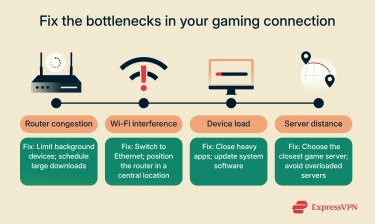
Several common bottlenecks can plague a gamer's internet experience. One of the most frequent is **Wi-Fi interference**, especially in densely populated areas. **Fix**: Switch to a wired Ethernet connection or optimize your 5 GHz Wi-Fi band by choosing a less congested channel and positioning your router optimally. Another common issue is **network congestion** from other devices or users in your household. **Fix**: Implement QoS settings on your router to prioritize gaming traffic and minimize background usage. **Outdated hardware** (modem/router/network adapter) can also be a bottleneck. **Fix**: Upgrade to newer equipment that supports higher speeds and more efficient protocols.
Finally **ISP routing issues** or **throttling** can cause significant problems. **Fix**: Run speed tests to confirm if you are getting advertised speeds and contact your ISP if not. A VPN might temporarily bypass routing issues. Regularly checking your connection health and implementing the tips above on how to boost internet for gaming will help you identify and resolve these common pain points, ensuring a smoother, more enjoyable experience.
FAQ Section
Here are some quick answers to frequently asked questions about optimizing your internet for gaming, perfect for busy gamers seeking fast solutions.
Is 100 Mbps download speed sufficient for online gaming?
Yes, for most single-player online gaming and even many multiplayer titles, 100 Mbps download speed is more than enough. The key factor for gaming is low latency (ping) and stable connection, not just raw download speed. However, if you have multiple users streaming 4K video or downloading large files simultaneously, higher speeds might be beneficial.
Does my Internet Service Provider truly affect my ping and latency?
Absolutely. Your Internet Service Provider (ISP) plays a major role in your ping and latency. The quality of their network infrastructure, their routing to game servers, and even their general network congestion can all significantly impact your latency. Some ISPs simply offer more direct and efficient routes to major gaming hubs.
What exactly is packet loss, and how can I prevent it during intense gaming?
Packet loss occurs when data packets sent over the internet fail to reach their destination. For gamers, this means missing information, leading to stuttering, rubberbanding, or disconnects. Prevent it by using a wired Ethernet connection, ensuring strong Wi-Fi signal strength, minimizing network congestion, and checking for outdated drivers or faulty hardware. Sometimes, the issue can be on your ISP's end.
How often should I restart my modem and router to maintain good performance?
It's a good practice to restart your modem and router at least once a month, or whenever you notice connectivity issues. A simple restart clears out temporary data, refreshes your network's IP address, and can resolve many common performance glitches. Think of it as a quick reset for your entire home network.
Can too many devices on my home network seriously slow down my gaming?
Yes, definitely. Every device connected to your network, especially those actively streaming, downloading, or updating, consumes bandwidth. Too many active devices can saturate your internet connection, leading to reduced speeds and increased latency for your gaming. Implementing QoS and managing background usage are effective counter-measures.
Is it worth paying for a premium internet speed tier just for gaming?
It depends. If your current connection frequently causes lag due to insufficient bandwidth for your household's usage, then a faster tier might be worth it. However, if your issues are primarily latency-based (high ping, packet loss) and not related to download/upload speeds, then optimizing your existing setup (wired connection, QoS) will offer better value than just paying for more speed.
To wrap things up, optimizing your internet for gaming does not have to be a daunting task. By focusing on a wired connection, smart router settings like QoS, minimizing background network usage, and keeping your hardware updated, you can significantly boost internet for gaming performance. These practical steps ensure that your valuable gaming time is spent enjoying the game, not fighting your connection. What is your biggest gaming challenge? Comment below!
Optimize internet for gaming, Reduce lag and ping, Improve Wi-Fi signal, Use wired connection, Router settings optimization, QoS for gaming, Update network drivers, Minimize background usage, Upgrade internet plan, VPN for gaming.
35



What Is A Good Internet Speed For Gaming 2026 Cable TV Info What Is A Good Internet Speed For Gaming . How To Increase Speed For WIFI Ethernet Boost Internet Speed PC . Router Gaming 2026 Clave Para Tu Internet FonoChile Router Gaming 2026 La Clave Para Tu Internet Hogar.webp. 6 Tips For Faster Internet Speed For Online Gaming Tips For Faster Internet Speed For Online Gaming Blog Image . The Ultimate Guide To No Contract Internet Plans In 2025 Flexible Fast Internet For Gaming.webp

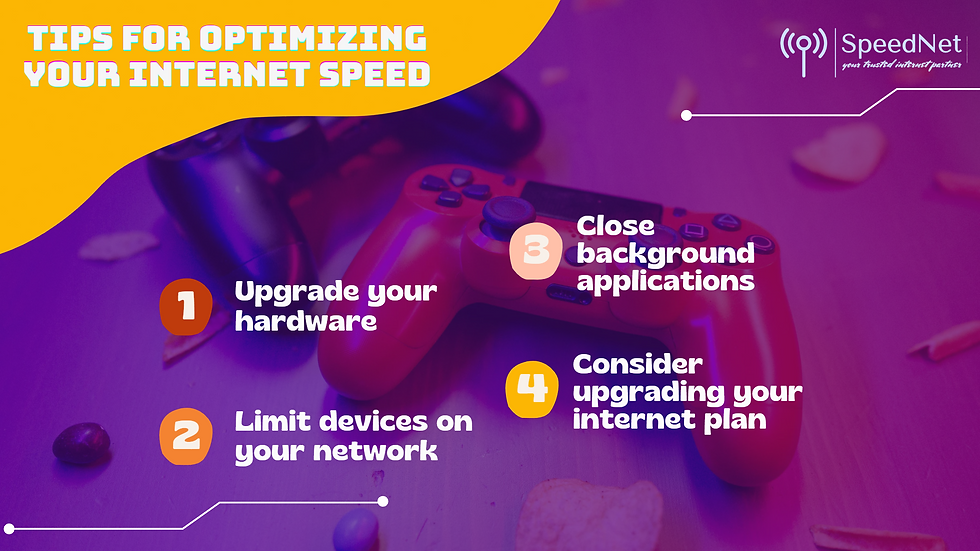

How To Boost Xbox Series X S Internet Speed Faster Downloads Lower . Why Is Fiber Good For Gaming Com Best Internet Gaming Feature Image . How To Boost Your Internet Speed For Gaming YouTube . Optimizing Your Internet Speed For Gaming What You Need To Know 80e957 . Top 5 Internet Providers For Gaming In 2026 Best Internet For Gaming


How To Improve Your Internet Speed For Online Gaming How To Improve Internet Speed 1024x1024 . Tips To Improve Your Internet Speed For Gaming Soondy Untitled11 . 7 Best Gaming Mic Options In 2026 Pro Audio For Streaming Podcasts Best 5g Internet For Gaming 2026 Hero. Blog Resources Featured . How To Optimize Wireless Internet Network Adapter With The Best

Internet Speed For Gaming A Friendly Guide To Epic Gameplay What Is The Best Internet Speed For Gaming . How To Choose The Best Internet Plan For Online Gaming Tips Of How To Choose The Best Internet Plan For Online Gaming . Will A Gaming Modem Increase Internet Speed At Bonnie Call Blog How To Increase Your Internet Speed Featured . Is EarthLink Internet Good For Gaming Our Complete 2026 Performance Guide Is EarthLink Internet Good For Gaming In 2026 . Best Internet For Gaming In 2026 Fast Speeds Top ISPs Best Internet For Gaming 1024x576


Top 10 Most Anticipated Games Of 2026 What To Watch Out For TVN GAMES IN 2026 . Will A Gaming Modem Increase Internet Speed At Bonnie Call Blog . Boost Mobile Internet For Home Use Boost As Wi Fi In 2026 Cable TV Info Boost Mobile Internet For Home . Compare The Best Internet Providers In The US For 2026 Best Internet For Gaming . Social Media For Gamers 10 Ways To Boost Your Game Marketing Game FMahFyTd5M


Best Internet Providers For Gaming In 2026 Game On 10 Best Internet Providers For Gaming 2023 Featured 1024x538 . Government Unveils New Online Gaming Framework 2026 To Protect Users Gaming Rules . Safer Internet Day 2026 Con PlayStation Arata Playstation Safer Internet Day 2026 . What Is The Best Internet Speed For Gaming 2026 Guide Image. 5 Emerging Trends In Online Gaming For 2026 5 Emerging Trends In Online Gaming For 2026 1200x675



How To Fix Slow Internet At Home 2026 Complete Guide 2026 05 07 19h22 08 300x195 . Internet Speed For Gaming How Fast Do You Really Need Internet Speed For Gaming 1 375x224 . Best Gaming Router 2026 Best Gaming Router . 2023 THE BEST WAY TO BOOST YOUR ETHERNET SPEED FOR ULTIMATE GAMING Hqdefault . 8 Best Gaming Ad Networks For 2026 Boost Your Earnings Best Gaming Ad